Powered by Four Js Development Tools

Early Access Program (EAP)
July 17th – September 25th
July 17th – September 25th
Share the Article
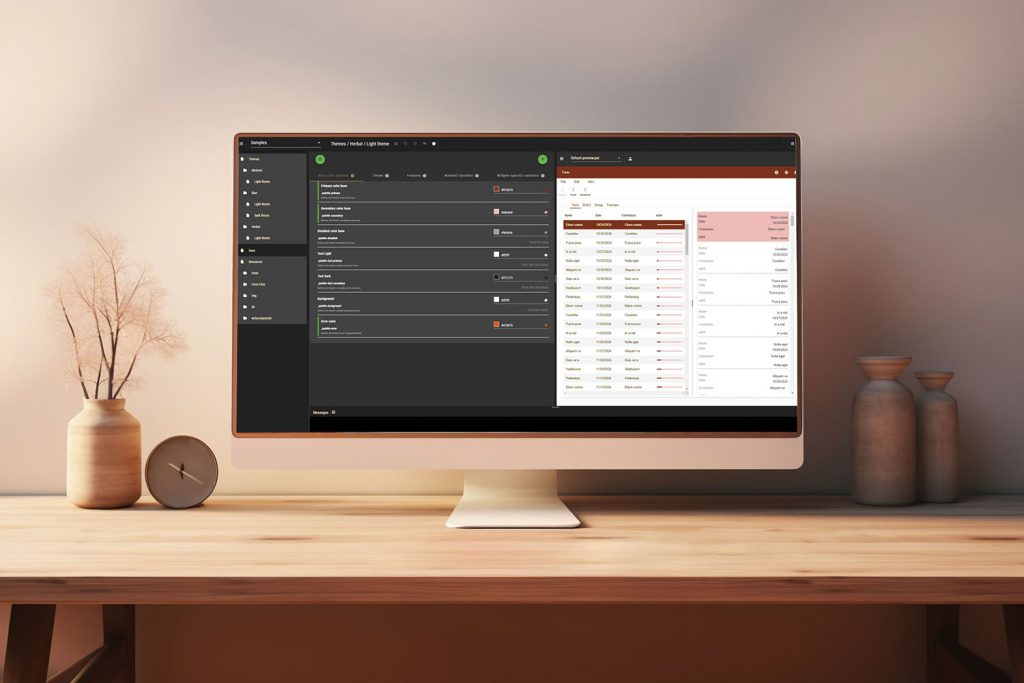
Irving, Texas – July 10, 2025 – We’re pleased to invite you to join our Early Access Program (EAP) for the Genero Theme Customizer, a visual SaaS tool for graphical designers to enhance the look & feel of all applications on browser, desktop or mobile — without touching a single line of code.
What is the Genero Theme Customizer?
Genero Theme Customizer empowers designers to shape the visual identity of their Genero applications — directly in the browser, with full creative control and zero setup.
Whether you’re modernizing your UI or tailoring apps to match your brand identity, Theme Customizer gives you control over the look and feel of your interface — in a visual and intuitive way.
From general branding to fine-tuned widget styling, you can adjust more than 500 UI attributes, import custom assets, and download the final binaries for fast deployment.
Themes can be applied to apps running with Genero Browser Client, Genero Desktop Client Universal Rendering, Genero Web Apps, Genero Mobile iOS and Android.
Why Join the EAP?
Joining the EAP gives you early access to our upcoming tool before the official release, allowing you to:
- explore the Theme Customizer at your own pace,
- provide feedback to shape the final version,
- evaluate how it fits into your development and design workflows
Key Benefits
For Designers and Dev Teams
- Modify application styles with an intuitive interface — no need for external design tools
- Create new themes quickly using ready-to-use light and dark presets
- Delegate graphic tasks to designers while developers stay focused on business logic
- Migrate from Desktop to Browser Client with a fresh, consistent UI
- Align applications with brand identity effortlessly
- Enhance perceived value by modernizing the UI
- Provide accessibility-ready themes (e.g. high contrast, dark mode) for specific user needs
Get Started with Two Interactive Tutorials
To help you get started quickly, we’ve prepared two hands-on tutorials:
DEMO: Getting Started with Theme Customizer
DEMO: Create your Customization
Ready to Join?
Click below to register for the EAP. Our team will follow up with your credentials and everything you need to get started.
We look forward to your feedback and can’t wait to see what you create with the Genero Theme Customizer! Thanks in advance for your contribution — your feedback is essential to us.
Best Regards,
The Four Js Development Team
Frequently Asked Questions
What is an EAP?
Early Access Programs (EAP) provide early versions of our software for developers to test with their applications and influence its new features prior to General availability (GA).
Why should I participate in the EAP?
The EAP is your opportunity to influence the future release. You can use the EAP to:
- Ennsure your application upgrades to the latest release with minimal effort.
- Verify new features can be used immediately in your application.
What is expected of me in an EAP?
The minimum expectations are that you:
- Download the EAP packages.
- Modify your code base if necessary per the Upgrade Guides and provide feedback if there are errors.
- Verify your application compiles and provide feedback if it does not.
- Perform basic testing of your application to ensure that it still runs as expected and provide feedback if it no longer works as it previously worked.
- Perform full QA testing of your application and provide feedback where the program no longer works as it did before.
- Fully evaluate and provide feedback on any feature we have introduced.
- Monitor and provide feedback on issues reported by other EAP participants.
How do I register for the EAP?
Click here: Early Access Program sign-on
What if I do not participate in the EAP?
The biggest risk is that something new breaks your code. This is not our intent, but it can happen.
During an EAP, we have options available to us to resolve conflicts:
If you only discover a conflict after the official release, you may have to wait until a maintenance release for the issue to be resolved, or we may decide that it is the future path for the product and that you have to amend your code if you wish to upgrade to this release.
In addition, when you go to use a new feature, you may find that you are restricted in its use because it is missing a feature that is important to you.
It is much more difficult for us to make changes after a release has occurred. With a maintenance release:
- We do not want to force users to edit 4gl code in order to install a maintenance release.
- We do not want to force users to compile 4gl code as part of installing a maintenance release.
- We do not want to force the concurrent installation of two or more of our products as part of a maintenance release.